AI AGE PROGRESSION TOOL
What Will I Look Like When I'm Older? Try an AI Future Face
Use an AI age progression tool to imagine your future face from one clear portrait. Choose any target age from 13 to 122, generate a visual approximation, and compare results without treating them as a guaranteed prediction.
What will I look like in the future? This future face generator explores that question using one portrait and one chosen age from 13 to 122. Try a future-self scenario such as age 45 or 75 and compare the result with your original photo. The model may change hair, skin texture and facial maturity while trying to keep a recognizable likeness. It cannot infer your genetics, health, lifestyle or future choices, so a future face is an imaginative interpretation rather than a biological forecast. A large age jump may not look as old as requested.
See the output format
What Will I Look Like When I'm Older? Try an AI Future Face
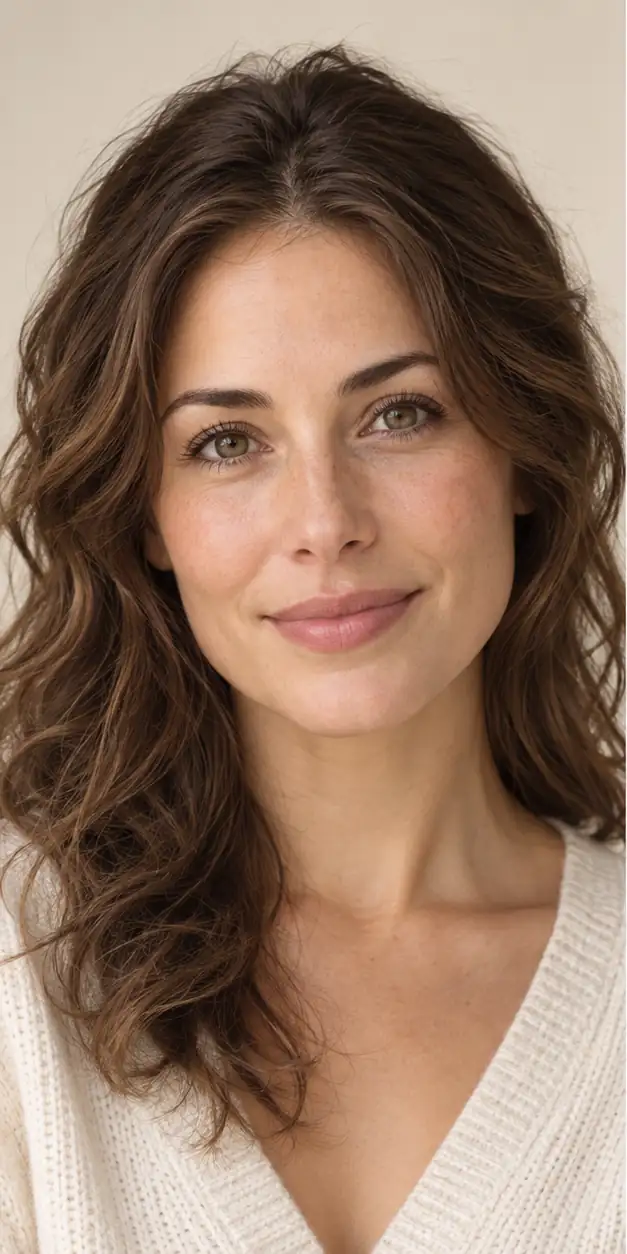
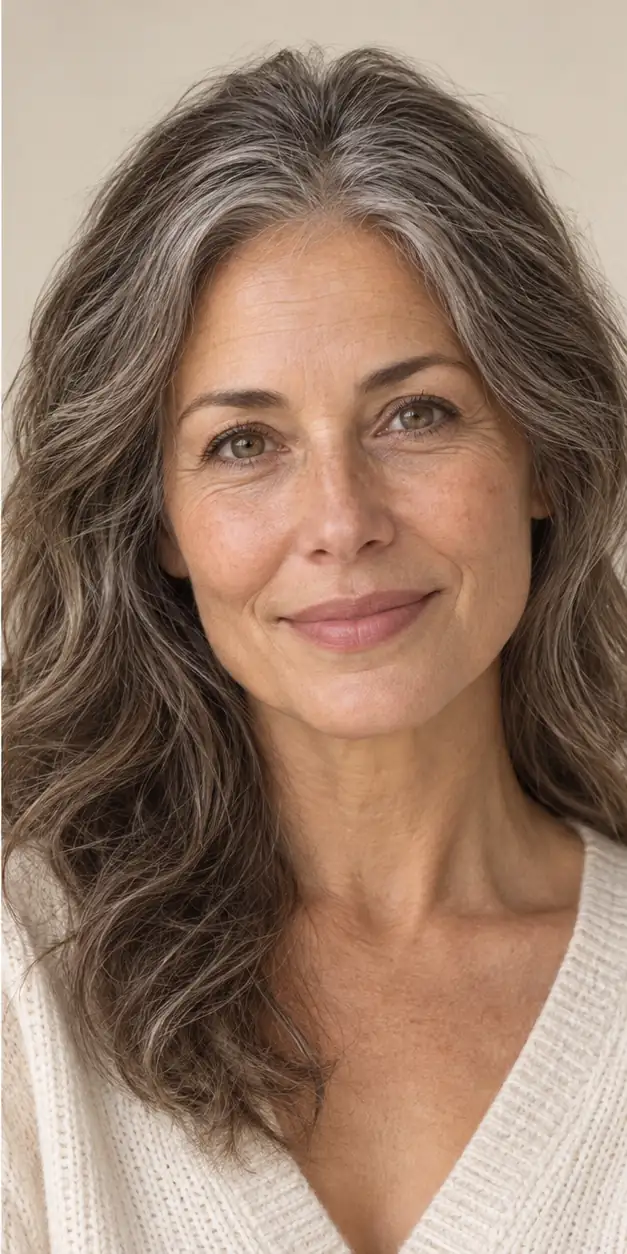
Future face examples: choose an age and compare
Choose the age you want to imagine rather than asking the model to estimate your age. Start with one clear portrait and keep the source photo and settings consistent when comparing results. These are suggested setups, not measured predictions or guaranteed outputs.
- Explore your face at 40
Try this: For a portrait taken around age 30, choose Future self and set the target to 40. Ask to keep the expression, eye shape and background.
Check the result: Compare the eyes, face outline and skin texture with the original. A modest age change may be subtle; do not add generations just to force stronger wrinkles.
- Imagine your future self at 60
Try this: Use the same source portrait and enter 60 as the target age. Keep hairstyle and lighting instructions simple so you can assess the face.
Check the result: Check whether the result still resembles the source person. Grey hair, wrinkles or a changed jawline are generated choices, not evidence about your health or future.
- Compare 60 and 80 separately
Try this: Generate one image at each target age using the same portrait. Each new generation uses the credits shown by the tool.
Check the result: Review the two images as separate creative possibilities. They are not frames of a continuous growth simulation and may change different facial details.
For general age editing, use the homepage tool; for an explicitly older appearance, use the aging filter. Keep the same source photo when comparing results. AI age progression online · AI aging filter
If the source is a damaged print, prepare a separate copy first and keep the original scan. Inspect any repaired facial details before age editing. Restore an old photo
Future face questions
These answers explain how to prepare a photo, interpret the result, and use an AI age progression responsibly.