
AI AGE PROGRESSION TOOL

AI Age Regression Filter: Make a Photo Look Younger

Use an AI age regression filter to make a portrait look younger. Choose a target below the source appearance, such as 30 or 45 for an older adult, and compare the result with the original.

AI age progression tool

Illustrative portraits, not predictions. Each card selects a target age.

Targets 13–122. Under-13 edits are not supported by the provider.

Describe your request (optional)

0/600

Describe preferences for hair, clothing, background, lighting, expression, or camera. Identity and target age stay unchanged.

Checking your credit balance…

Your image is used to process this request and is not published by GrowUpAI. Only upload photos you have permission to use.

Generated result

Your age progression result will appear here after you upload a portrait and choose a target age.

  1. Upload a portrait
  2. Quick target ages
  3. Generate your chosen age

Sign in and use credits to generate a private result.

AI results are for creative and entertainment use. They do not predict real future appearance.

An AI age regression filter explores a younger version of the person in your portrait. Choose an age below the source appearance: for example, try 30 or 45 with an elderly portrait to keep the target adult. The model may soften age-related skin detail and reinterpret hair while aiming to retain a recognizable likeness. Compare the output with the original instead of treating it as a recovered historical photo. Single-person targets start at 13; this tool does not generate an under-13 childhood portrait. Use the aging filter when you want to make the person look older instead.

See the output format

AI Age Regression Filter: Make a Photo Look Younger
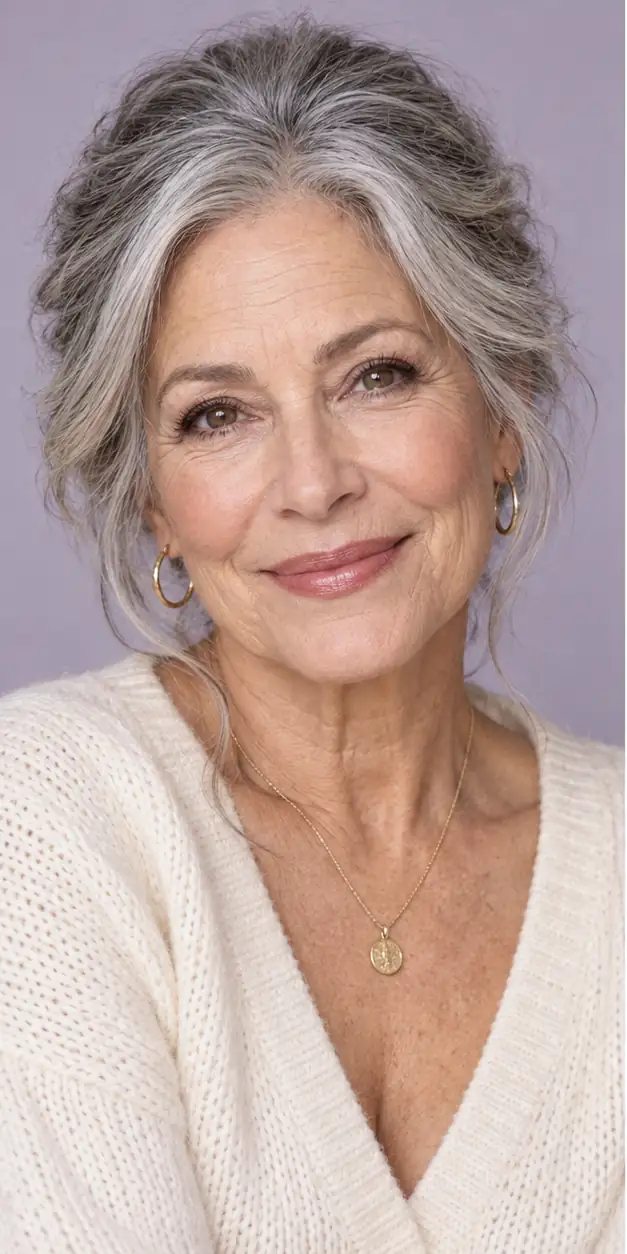
AI Age Regression Filter: Make a Photo Look Younger · 1
AI Age Regression Filter: Make a Photo Look Younger example 1
A real GrowUpAI image-generation result created from one portrait and a chosen target age.
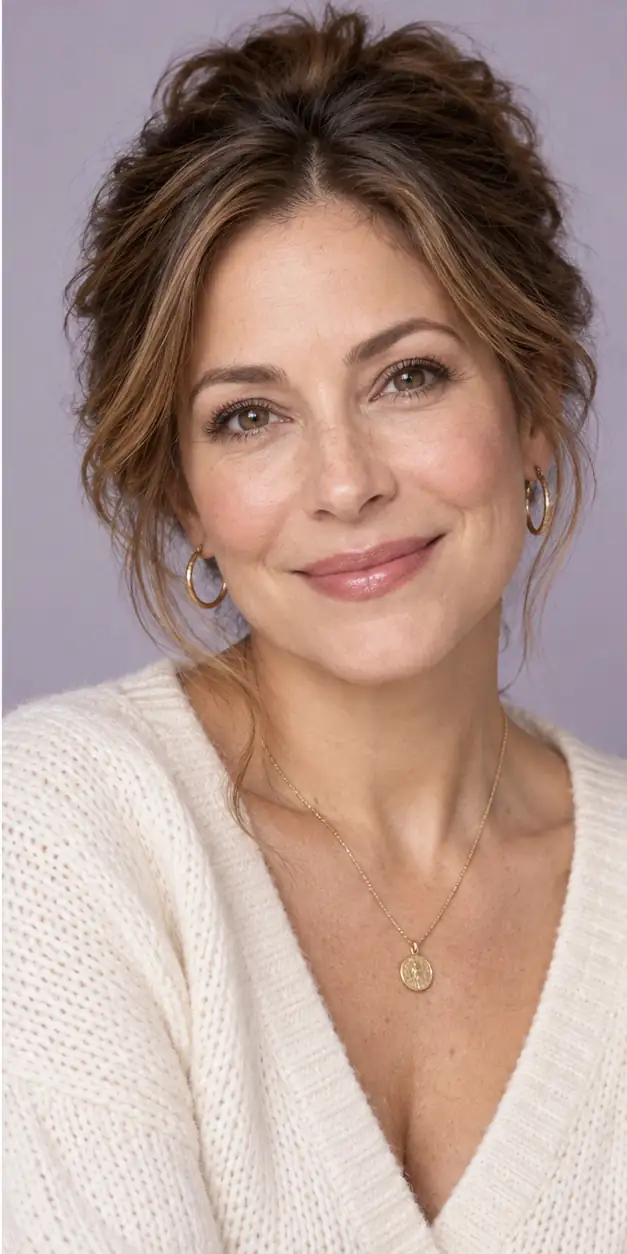
AI Age Regression Filter: Make a Photo Look Younger · 2
AI Age Regression Filter: Make a Photo Look Younger example 2
A real GrowUpAI image-generation result created from one portrait and a chosen target age.
How to use an AI age regression filter

Start with a clear portrait, choose Future self, and set a target age that is younger than the source when you want a reverse-aging experiment. Review the result before downloading it.

  1. 1Upload a JPG, PNG, or WebP portrait with one person and visible facial features.
  2. 2Keep Future self selected and enter a target age from 13 to 122; choose a lower age for a younger-looking experiment.
  3. 3Generate the image and wait for the age-directed edit to finish.
  4. 4Compare the result with the source photo, then download it only when it fits your intended creative use.
Get a more natural younger-looking result
  • Use even lighting and a mostly front-facing pose so the model can read the face clearly.
  • Choose a natural expression and avoid strong beauty filters, sunglasses, or dramatic makeup.
  • Start with a moderate age difference before trying a much younger target.
  • Keep the source image within the tool limit and remove sensitive images according to your privacy needs.
  • Remember that a younger-looking result is an imaginative effect, not proof of your exact past appearance.
AI age regression filter limitations
  • The model can change hair, lighting, expression, face shape, or skin texture in ways that are not caused by age.
  • A realistic result is still an invented visual possibility, not a verified reconstruction of your past face.
  • Do not use the output for identity checks, medical decisions, forensic work, employment, insurance, or other high-stakes purposes.
  • Use only portraits you own or have permission to process, and avoid official IDs or sensitive private images.
Private by design, clear about limitations

Upload only a portrait you own or have permission to process. GrowUpAI does not publish uploaded photos as a public gallery, and generated results should be treated as creative approximations rather than facts.

Read the Privacy Policy

AI age regression filter questions

These answers explain how to prepare a photo, interpret the result, and use an AI age progression responsibly.

Explore more age progression tools