How Does AI Age Progression Work? Accuracy, Photo Tips & Limits
Learn how AI age progression transforms a portrait, how it differs from age estimation and filters, which photo conditions affect results, and why it is not a prediction.
How does AI age progression work? It uses a current portrait as the starting point for a new image that suggests a different age. This is generative editing, not a measurement or prediction of someone's future appearance. A model may use learned visual patterns and a requested age direction to synthesize new pixels while trying to retain recognizable features; the exact process depends on the service.
This guide explains how AI age progression works, how to tell it apart from age estimation and simple aging filters, why results vary, and how to choose a photo that gives the model useful information. If you want to try the effect after reading, you can use GrowUpAI's future face tool or compare it with the child-to-adult photo tool.
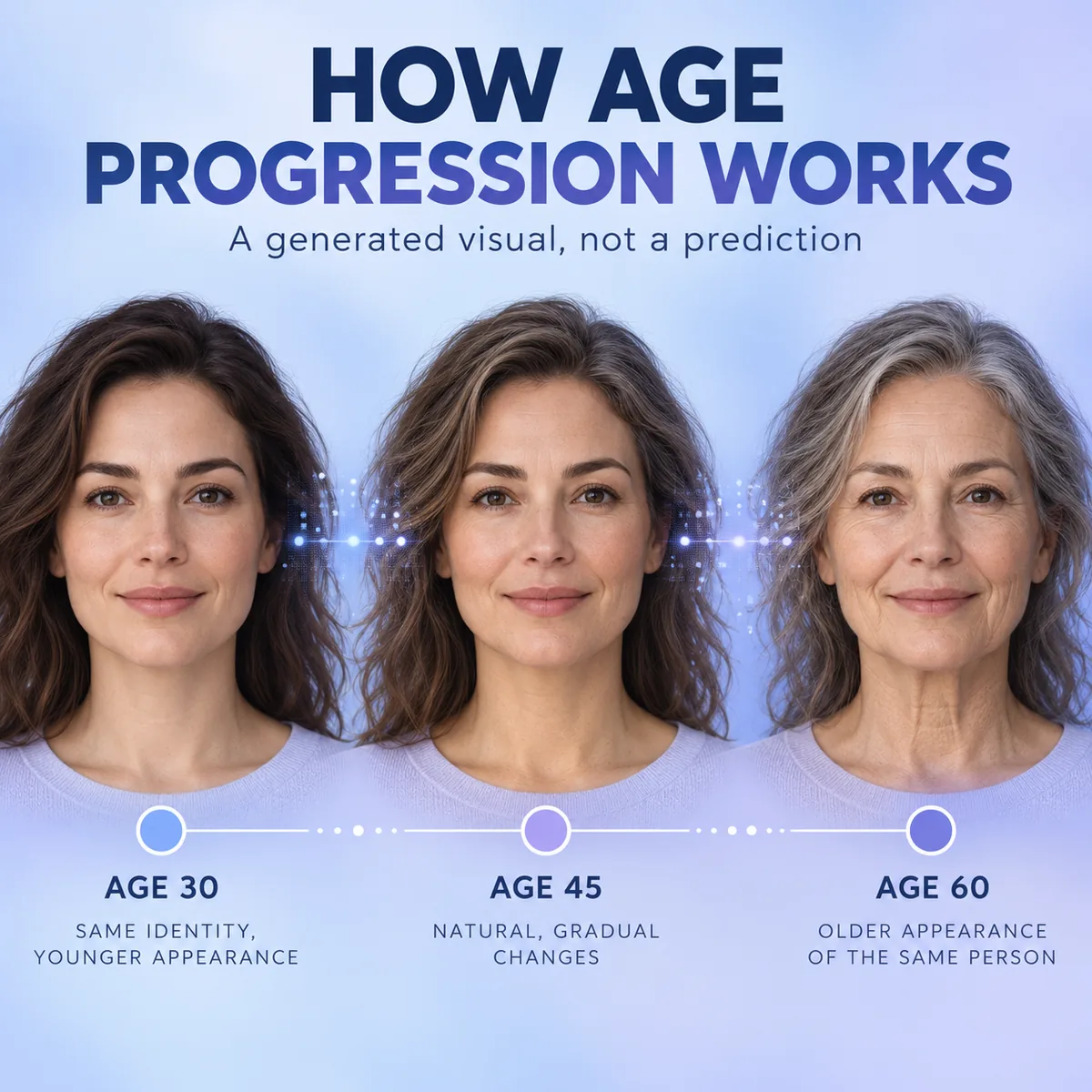
Concept illustration: the age stages are an editorial example, not a real person's result or a forecast.
How does AI age progression work?
At a high level, an age progression system receives a face photo and produces a modified image that appears to move in an age direction. Many image systems first locate a face or represent facial features in a form the model can use. A generative model then changes appearance cues associated with the requested transformation while attempting to keep some identity cues, such as the general face shape, eye spacing, or distinctive features.
That is a useful mental model, not a universal technical specification. A consumer service might use a single image-to-image model, a face-analysis step, age conditioning, restoration, or several stages. Providers rarely publish enough implementation detail to confirm every internal operation. Treat claims about a particular tool's exact architecture as unverified unless its developer documents them.
Research illustrates that age-conditioned image generation is an established area of computer vision. For example, a 2017 paper describes an age progression and regression method using a conditional adversarial autoencoder. That paper explains one research approach; it does not prove that a current consumer tool uses the same method. In practice, the safest description is that the model synthesizes a plausible-looking edit from the input and its learned patterns.
Age progression vs. age estimation vs. an aging filter
These terms can sound interchangeable in search results, but they describe different tasks. Knowing the difference helps you choose the right tool and interpret its output.
| Task | What it returns | What it can reasonably tell you |
|---|---|---|
| AI age progression | An edited portrait that looks older or younger | How a model visualizes an age-style transformation |
| Age estimation | An estimated age or age range from a face image | A model's estimate for the photographed moment, subject to error |
| Aging filter | A preset visual effect, often applied through a camera or social app | What that filter's style looks like on a photo |
| Forensic age progression | A carefully prepared investigative illustration | A professional visual aid based on available case information, not a guaranteed likeness |
For example, NIST's face analysis resources discuss age estimation from facial images. Estimating apparent age in a photo is different from generating a future-looking portrait. Forensic artists also work in a different setting from an instant consumer filter: organizations such as the National Center for Missing & Exploited Children describe the use of age-progressed images alongside family reference photographs and case context. Those professional practices should not be equated with a one-click entertainment effect.
A practical view of the AI age progression workflow
You do not need to know a provider's proprietary model to judge the result. The following stages describe what a user can observe; the implementation behind each stage varies by tool.
- Choose an input photo. The service receives the image you select. A clear, recent, front-facing portrait gives a model more visible detail than a tiny, heavily filtered, or shadowed face.
- Identify the face area. Many image workflows need to distinguish the face from hair, clothing, and background so that a transformation can focus on the intended subject. Whether a service uses explicit face detection is provider-specific.
- Apply the requested direction. The model synthesizes a changed portrait that follows an age-related prompt, slider, preset, or style choice. Wrinkles, skin texture, hair, and facial fullness may change, but the tool may also alter details unrelated to age.
- Review the output. Compare stable identity cues and inspect the whole image for artifacts. A polished result can still be imaginative rather than biologically predictive.
The GrowUpAI demo output below shows the kind of stylized portrait an age progression tool can create. It is an edited example; a convincing image does not establish how that person will actually age.

GrowUpAI demo output: an AI-edited portrait, not a verified prediction of how this person will look in the future.
Conceptual workflow: the labels are explained in the article; the image does not depict a specific app's internal system.
Why do age progression photo results vary?
An age progression photo is constrained by what the input shows and by choices made during generation. It is not simply a hidden “future face” being uncovered. Results can differ between services and between runs because their models, prompts, reference data, settings, and image processing differ.
Common sources of variation include:
- Photo quality: blur, low resolution, strong shadows, or a face turned far from the camera hide useful detail.
- Expression and pose: a wide smile, tilted head, or closed eyes can make the model invent parts of the face rather than transform clearly visible features.
- Occlusion: glasses, hair across the face, masks, hands, and beauty filters can interfere with visible cues.
- Requested age and style: a large age jump gives the system more room to invent appearance details. A cinematic or beauty style may also change the person more than a neutral edit.
- Model variation: one model may preserve face shape while another changes skin, hair, or expression more strongly.
These factors explain why a result can look convincing and still be wrong. The face is a complex, changing combination of genetics, health, environment, expression, and personal choices. A single photo does not contain enough information to predict all of those future influences.
How to choose a photo for a clearer result
For a more readable transformation, start with a well-lit, sharp portrait in which one person's face is visible. A straight-on or slight three-quarter angle is often easier for image systems than a profile, although a particular tool may recommend something else.
Before uploading, check that:
- the face is in focus and not very small in the frame;
- lighting is even enough to show both sides of the face;
- hair, hands, accessories, or objects do not cover key features;
- the expression is natural and the camera angle is not extreme;
- you have the right to use the photo and consent from the person shown, especially for a child.
Using another photo from a different age can be useful for a personal comparison, but it still does not validate a model's forecast. Make sure any service explains how uploads are stored, used, or deleted before sharing a sensitive image. See GrowUpAI's privacy policy for this site's handling details.
How to review an AI age progression result
Look at the generated portrait as a creative edit. Compare a few identity cues—such as face outline, eye placement, or a distinctive mark—then look for unexpected changes in the eyes, teeth, hairline, ears, or background. If a second run changes those features dramatically, that is evidence of generation variability, not evidence that one version is more accurate.
For a practical check, note what the input photo actually shows, what the output has added, and what remains consistent. You can keep the edit, adjust the input, or discard it based on your purpose. Do not use a playful age progression image as an identity document, medical assessment, legal record, or proof of a child's future appearance.
Can AI predict what a child will look like as an adult?
No image generator can determine a child's exact adult appearance from one or a few photos. It can create an age-style visualization, but inherited traits, growth, health, environment, and chance all affect how someone changes. The output should be described as a generated illustration rather than a prediction. If you want to explore the visual effect, GrowUpAI's child-to-adult page explains the tool's intended use.
For images of children, use additional care: get permission from a parent or guardian, avoid uploading identifying images to services with unclear retention terms, and do not publish a child's generated portrait without considering their privacy and future consent.
Frequently asked questions
How does AI age progression work from a photo?
The service uses the input portrait to generate an age-style edit. Depending on the provider, it may analyze or isolate a face and then use a generative model to synthesize changes. Exact methods vary, and the result is not a measured or guaranteed future likeness.
Is AI age progression the same as an age detector?
No. An age detector estimates apparent age in the current image. An age progression tool generates a modified image intended to look older or younger. The first returns an estimate; the second returns an edit.
How accurate are AI age progression photos?
They can preserve some recognizable features, but there is no general accuracy score that makes a consumer-generated image a reliable personal forecast. Similarity depends on the input, model, transformation, and what a viewer considers recognizable. Treat the image as illustrative.
What photo works best for an AI aging filter?
Use a sharp, well-lit portrait with the face unobstructed and large enough to see. A simple background and a natural expression can make the output easier to review. Follow the chosen service's own photo guidance where available.
Does an age progression photo show real wrinkles or future hair loss?
It shows details the model generated. It cannot determine whether a specific person will develop a particular wrinkle pattern, hairstyle, or hairline. Those changes are individual and cannot be inferred reliably from a single portrait.
Is it safe to upload a child's photo?
Safety depends on the service's data practices and your choices. Read the privacy and retention policy, get appropriate guardian consent, share only what is necessary, and avoid public posting that could affect the child's privacy later.
Key takeaway
AI age progression works as an image-generation effect: it transforms a portrait into an older- or younger-looking illustration using a provider-specific model. It can be useful for entertainment or creative exploration, but it is not age estimation, forensic evidence, or a dependable prediction. Choose a clear photo, review what the model changed, and make an informed decision before uploading personal or children's images.
For more, explore the future face tool, the AI aging filter guide, or the child-to-adult tool.
Sources and further reading
- NIST Face Analysis Technology Evaluation: Age Estimation and Verification — technical context for age estimation from face images.
- Age Progression/Regression by Conditional Adversarial Autoencoder — one research approach published in 2017, not a specification for every current service.
- National Center for Missing & Exploited Children: Watching Your Child Grow Up in Pictures — context on age-progressed imagery in missing-child cases.